
✨ This article was AI edited. Editorial responsibility: 3D-P.eu.
Adopting additive manufacturing without systematic training frequently leads to persistent bed adhesion failures, hotend jams, thermal runaway risks, and wasted engineering hours. Whether you are an educator setting up a school makerspace, an engineering student preparing for digital manufacturing roles, or an industrial technician operating production FDM and SLA workcells, mastering the fundamentals of additive workflows is essential for reliable, high-yield production.
Curriculum Blueprint: The 5 Core Modules of Additive Mastery
| Module | Key Technical Competencies | Practical Hands-On Milestone |
|---|---|---|
| 1. Kinematics & Assembly | Frame squaring, belt tension harmonics (110–130 Hz), V-wheel eccentric nuts, lead screw backlash | Assemble and square an FDM gantry within 0.1 mm tolerance |
| 2. Calibration & Leveling | Manual 4-point tramming, inductive/optical probe Z-offset compensation, bed mesh tilt visualization | Achieve perfect single-layer squish across a 200x200mm bed |
| 3. Slicer Parameter Optimization | Volumetric extrusion limits, pressure advance / linear advance, seam placement, bridging angle calculation | Slice and print a zero-stringing retraction & temperature tower |
| 4. Polymer & Resin Science | Hygroscopic moisture degradation, glass transition temperature (Tg), thermal crystallization, UV photopolymer safety | Dehydrate damp PETG/Nylon and tune enclosure thermals for ABS |
| 5. Post-Processing & Maintenance | Soluble support wash tanks, hot tightening nozzles (250°C), linear rail lubrication, thermal fuse inspection | Perform a full 100-hour hotend overhaul and nozzle change |
Hands-On Diagnostic Exercises for Students & Makers
Exercise A: Dialing in Extrusion Multiplier & E-Steps
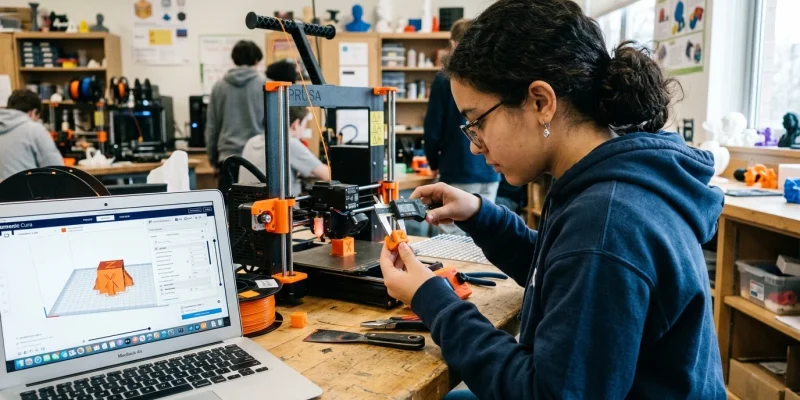
Incorrect extruder calibration is the root cause of 70% of dimensional issues. Students learn to measure 100 mm of filament, command an extrusion via G-code (M83 then G1 E100 F100), and calculate exact rotational stepper distance (M92 E[new_steps]). Following this, a single-wall vase mode cube is measured with a digital micrometer to lock in slicer flow within ±0.01 mm.
Exercise B: Eliminating Retraction Stringing
Students configure rapid retraction tests, tuning retraction distance (0.8 mm for direct drive vs 4.5 mm for Bowden setups) and retraction speed (35–45 mm/s). Introducing Pressure Advance (Klipper) or Linear Advance (Marlin) allows decoupling physical extrusion speed from hotend pressure buildup.
Advanced Troubleshooting Case Studies in Lab Environments
When operating a multi-machine 3D printing lab, systematic root-cause analysis is critical to maintaining high uptime. Below are standard diagnostic protocols taught in professional certification modules:
- Thermal Creep Diagnostics: When filament softens prematurely above the heat break transition zone, causing mid-print extruder jams. Solution: Inspect the hotend heatsink cooling fan RPM and replace degraded thermal paste between the heat break and aluminum heatsink.
- Z-Banding & Lead Screw Backlash: Periodic horizontal layer ridges repeating at the pitch interval of the Z lead screw (typically 8mm). Solution: Clean and lubricate lead screws with PTFE synthetic grease and install anti-backlash spring nuts or Oldham couplers.
- PID Autotuning for Temperature Stability: Fluctuating nozzle temperatures cause inconsistent extrusion line widths. Running G-code
M303 E0 S215 C8recalibrates proportional, integral, and derivative heater parameters to maintain temperature within +/-0.3 deg C.
Frequently Asked Questions
How long does it take to learn 3D printing fundamentals?
With dedicated hands-on practice, basic FDM printing, slicer operation, and bed tramming can be learned in 10 to 15 hours. Mastering advanced CAD design for additive manufacturing (DfAM), custom firmware compiling, and industrial resin post-processing typically requires 40 to 60 hours of structured training.
What free software should beginners start with?
For 3D modeling, beginners should start with Tinkercad or Autodesk Fusion 360 (free personal hobbyist license). For slicing, PrusaSlicer, OrcaSlicer, and UltiMaker Cura provide comprehensive, open-source toolpath generation.
What are the most essential safety rules in a 3D printing lab?
Ensure active ventilation or HEPA/activated carbon filtration when printing ABS/Nylon or handling UV resins. Never leave printers running unattended on flammable wooden surfaces without thermal runaway protection firmware enabled.
Get our latest guides, news, and insights highlighted in your Google Search & AI Overviews.


![How to Connect Your 3D Printer to Network? [Step-by-Step Guide]](https://3d-p.eu/wp-content/uploads/2025/04/427-how-to-connect-your-3d-printer-to-network-step-by-step-guide.jpg "How to Connect Your 3D Printer to Network? [Step-by-Step Guide]")


