
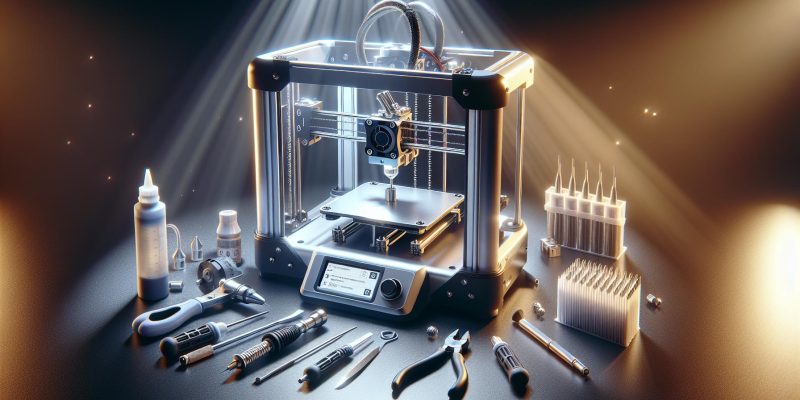
Removing the nozzle from a 3D printer can seem daunting, especially when you’re eager to enhance print quality or switch materials. Mastering this skill is essential for every 3D printing enthusiast, as a clogged or worn nozzle can hamper your creativity and lead to frustrating prints. Follow this step-by-step guide to easily tackle the task!
How Do I Take the Nozzle Off a 3D Printer? Step-by-Step Guide
Removing the nozzle from a 3D printer may seem daunting, but it’s a straightforward task that can significantly enhance your printing experience and maintain the longevity of your machine. whether you’re looking to clean, replace, or upgrade your printer nozzle, following a systematic approach will ensure safety and efficiency.
Preparation: gather Your Tools
Before diving into the process, it’s essential to gather the necessary tools. Having everything on hand will streamline the task, reducing the risk of anything getting mixed up or misplaced. Here’s what you typically need:
- Wrench or Socket Tool: Most 3D printer nozzles require an adjustable or specific-sized wrench to loosen.
- Heat-resistant Gloves: Protect your hands from the heat as the nozzle may still be warm after printing.
- Safety Glasses: Protect your eyes from any unexpected debris.
- Clean Cloth or Paper Towels: to clean any residual filament.
Preparing your workspace is also crucial. Ensure that your 3D printer is off and cooled down, and have a clean surface ready for your nozzle once removed.
Step-by-Step Guide to Removing the Nozzle
Follow thes steps to safely and effectively remove the nozzle from your 3D printer:
| Step | Action | Tips |
|---|---|---|
| 1 | Turn Off Printer | Ensure your printer is powered off to avoid any electrical issues. |
| 2 | Heat the Nozzle | Set the printer to a low temperature (around 200°C) to make removal easier. |
| 3 | Remove Filament | Unload any filament to prevent it from obstructing the nozzle removal. |
| 4 | Use the Wrench | Carefully grip the heated nozzle with the wrench and turn it counterclockwise. |
| 5 | Inspect for Residue | After removal, check for any clogs or residue in both the nozzle and the hotend. |
by following this methodical approach, you can efficiently and safely remove your 3D printer’s nozzle. This process not only allows for cleaning and replacement but can also uncover underlying issues that might be affecting print quality, such as clogs or wear in the hotend. Understanding how to take the nozzle off a 3D printer empowers users to maintain their machines and achieve optimal printing results.
Understanding the Purpose of the Nozzle in 3D Printing
Unlocking the Secret to Precision: The Role of the Nozzle in 3D Printing
in 3D printing, the nozzle is more than just a small piece of hardware; it’s the heart of the extrusion process. This tiny component plays a pivotal role in determining the quality, speed, and precision of your prints. When filament is pushed through the nozzle, it is heated to a specific temperature and melted, allowing it to be deposited layer by layer to create intricate shapes. Different nozzle sizes can dramatically alter how a model is produced,shaping everything from the detail of the print to the overall strength of the final object.
Why Nozzle Size Matters
Choosing the right nozzle size can be critical, as it affects several key aspects of your printing process, including:
- Print Speed: Larger nozzles can extrude more filament at once, leading to faster print times, while smaller nozzles provide finer layers for intricate designs.
- Detail Level: Smaller nozzles are ideal for high-detail prints, capturing every fine line and curve. Conversely, larger nozzles are typically used for less intricate objects.
- Strength and Durability: The thickness of the extruded lines can impact the structural integrity of the object; thicker lines generally mean stronger prints.
Material Compatibility
The nozzle is not only essential for managing how filament is deposited, but it also interacts with various materials in unique ways. For instance, materials like PLA may require different settings compared to more specialized filaments such as ABS or PETG. Understanding how to adapt your nozzle choice and settings to the type of filament used can profoundly influence the end result.
as you explore options based on the guide titled “How do I Take the Nozzle Off a 3D Printer? Step-by-Step Guide,” remember that maintaining or swapping your nozzle can also affect the consistency of your prints. Regular maintenance can prevent clogs and ensure a smooth extrusion process,thereby enhancing the performance and longevity of your printer.
| Nozzle Size (mm) | Best For |
|---|---|
| 0.2 | High-detail prints |
| 0.4 | General printing |
| 0.8 | Faster prints, thicker layers |
| 1.0+ | Large prototypes, fast prototyping |
Understanding these nuances about the nozzle’s purpose allows you to make more informed choices, enhancing the efficiency and quality of your 3D printing projects. Whether you’re tackling practical applications or artistic designs, the nozzle remains a fundamental component that you shouldn’t overlook.
Explain the critical role the nozzle plays in the extrusion process, and why periodic removal and maintenance are essential for optimal printing performance
The performance of a 3D printer hinges significantly on one critical component: the nozzle. This small yet mighty part acts as the gateway through which the filament is extruded, directly impacting the quality, precision, and speed of your prints. A clogged or worn-out nozzle can lead to a range of issues, including under-extrusion, poor layer adhesion, and inconsistent filament flow, ultimately compromising the final product. To maintain optimal printing performance, understanding the importance of the nozzle and undertaking regular maintenance cannot be overstated.
The Nozzle’s Impact on Print Quality
The nozzle is responsible for controlling the flow of melted filament onto the print bed, defining the resolution and the detail of your printed object. The diameter of the nozzle also dictates the extrusion width, which affects layer bonding and overall print strength. A well-maintained nozzle ensures reliable filament output, allowing for consistent layering and accuracy. When filament is improperly extruded due to a clogged or damaged nozzle, even the most well-designed 3D model can result in a failed print. Consider the following aspects of nozzle performance:
- clogging: Filament can get stuck in the nozzle, especially if debris or burnt particles accumulate. Regularly checking and cleaning the nozzle can prevent this.
- Wear and Tear: Frequent use can wear down the nozzle’s inner surface, causing variations in filament flow, leading to poor print quality.
- Temperature Management: A malfunctioning nozzle can affect how heat is distributed, potentially leading to inadequate melting of the filament.
Essential Maintenance Techniques
To ensure the nozzle remains in peak condition, periodic removal and diligent maintenance are crucial. Here are some practical tips to follow:
| Maintenance Task | Frequency | purpose |
|---|---|---|
| Visual Inspection | Every print session | Identify any visible clogs or damage. |
| Cleansing with a Needle | Weekly | Clear small clogs without removing the nozzle. |
| Nozzle Removal & Soaking | Monthly | Deep clean to dissolve stubborn blockages. |
| Replacement | as needed | Swap out for a new nozzle if wear is evident. |
By incorporating these maintenance routines into your printing workflow, you’ll not only minimize the chance of nozzle-related failures but also extend the life of your printer. Armed with the right knowledge on how to take the nozzle off a 3D printer properly and an understanding of its pivotal role,you can address issues efficiently,leading to enhanced printing experiences and superior outcomes.
Safety First: Precautions to take Before Removing the Nozzle
When it comes to 3D printing, the nozzle is one of the most critical components, directly influencing the quality of your prints. Before you embark on the journey of removing the nozzle, ensuring safety and proper precautions is essential to avoid accidents, damage, or injury. Careful preparation can save you time and money, enhancing your 3D printing experience.
Power down and Unplug
Before attempting to take off the nozzle, make absolutely sure your 3D printer is powered down and unplugged. This simple step helps prevent any electrical mishaps. Here’s a checklist to ensure you’ve done everything necessary:
- Turn off the printer and let it cool down if it has been in operation.
- Unplug the power cord from the wall socket to avoid accidental activation.
- Check for any residual heat in the nozzle—if it was recently used, it can remain hot for some time.
Gather Your Tools
Having the right tools at your fingertips not only makes the process smoother but also ensures safety.Rummaging for tools can lead to distractions, which might cause accidents. Here’s a quick list of tools you might need:
- Wrench or nozzle removal tool
- Heat-resistant gloves
- Small container for screws and components
- Cleaning cloth for any spills
Use Proper Personal Protective Equipment (PPE)
Personal safety shoudl never be overlooked. Wearing appropriate PPE can significantly reduce the risk of injury. Consider the following:
- Heat-resistant gloves: These can protect your hands from burns if the nozzle is still warm.
- Safety goggles: To shield your eyes from any debris that might come loose during removal.
Assess the Condition of the Printer
Before proceeding,take a moment to examine the general condition of your printer and nozzle. Look out for any signs of wear,damage,or clogs. If the nozzle is particularly clogged,you might need to address that before removal.
| condition Indicators | Action to Take |
|---|---|
| Overheating | Let the printer cool down entirely. |
| Visible Damage | Consider replacing the nozzle instead of removing it. |
| Excessive Filament Build-Up | Clean before attempting removal. |
Taking these precautions ensures that you can safely and effectively remove the nozzle from your 3D printer, setting the stage for a prosperous operation. Transitioning toward the actual removal process becomes much simpler when you prioritize safety and preparation.
Discuss safety measures, including temperature considerations and tools needed, to ensure a smooth and hazard-free removal process
when dealing with the intricate components of a 3D printer, ensuring safety during maintenance is paramount. Removing the nozzle can seem straightforward,but without the right precautions,it can lead to accidents or damage to your printer. In this section, we’ll explore essential safety measures, temperature considerations, and the tools needed for a successful and hazard-free nozzle removal process.
Temperature Considerations
One of the critical aspects of safely removing a 3D printer nozzle is managing the temperature. Most nozzles operate at high temperatures, frequently enough exceeding 200°C, which can pose serious burn risks if mishandled. Here are some temperature-related precautions to keep in mind:
- Allow the Printer to Cool: Always allow your printer to cool down before attempting to remove the nozzle.Ideally, wait for it to reach a safe temperature of around 50°C or lower.
- Use a Thermal Insulator: Consider using a thermal glove or heat-resistant material when handling any components close to the nozzle.
- Check the Thermistor: Ensure that your printer’s thermistor is functioning correctly to avoid unexpected temperature spikes.
Essential Tools for the Job
Proper tools will not only make the nozzle removal process smoother but also enhance safety. Here’s a brief overview of tools you’ll need and their purposes:
| Tool | purpose |
|---|---|
| Socket Wrench or Spanner | To effectively loosen and tighten the nozzle without slipping. |
| Needle-nose Pliers | For gripping the nozzle when it’s too hot to handle safely. |
| Extruder Cleaning Kit | To clean any residual filament before and after removal. |
| Heat Resistant gloves | To protect your hands when working with hot components. |
employing these safety measures and using the right tools ensures that removing the nozzle from your 3D printer is a hassle-free and secure process. Proper preparation can prevent accidents and extend the lifespan of both the nozzle and your 3D printer, ultimately contributing to an efficient and enjoyable 3D printing experience. Whether you’re asking “How do I take the nozzle off a 3D printer?” or seeking to enhance your overall maintenance process, a focus on safety will yield the best results.
Preparing Your 3D Printer: Pre-Removal Checklist
When it comes to maintaining your 3D printer, removing the nozzle can seem like a daunting task, especially for beginners. However, a little preparation can make the process not only manageable but also efficient. Here’s a pre-removal checklist to ensure your 3D printer is ready for nozzle removal, making your experience far smoother and less stressful.
essential Tools and Materials
Before diving into the nozzle removal process,gather all necessary tools and materials. This preparation step can prevent interruptions mid-task, allowing for a streamlined workflow. Consider gathering:
- Wrench or Socket Tool: Typically a 7mm or 8mm depending on your printer.
- Heat Resistant Gloves: Protect your hands from high temperatures.
- Needle Nose Pliers: Useful for handling smaller components.
- cleaning Cloth: To clean any residual filament from the nozzle area.
- Spare Nozzle: Always good to have on hand in case you’re replacing it.
Check Printer Settings
Before you start the physical removal of the nozzle, it’s crucial to check the printer settings. This ensures that you are not attempting to remove a nozzle that could lead to potential damage.
- Cool Down the Printer: Ensure the printer has cooled to a safe temperature. Check the display for current hotend temperatures.
- Pre-heat the Nozzle: On the flip side, preheating might be necessary. The ideal removal temperature usually depends on the filament type. For PLA, this could be around 180-220°C, while for ABS, 230-250°C is more appropriate.
| Filament Type | Recommended Temperature (°C) |
|---|---|
| PLA | 180-220 |
| ABS | 230-250 |
| PETG | 230-250 |
| TPU | 220-250 |
Safety Precautions
Always prioritize safety when working with your 3D printer. The hotend can cause serious burns, so here are some essential precautions:
- Unplug the Printer: To avoid any electrical hazards while working on the printer.
- use Heat-Resistant Gloves: Protect your hands, especially during the removal of a hot nozzle.
- Work in a Ventilated Area: If you’re working with materials that produce fumes, better safe than sorry!
By following this checklist to prepare your 3D printer for nozzle removal, you equip yourself with everything necessary for a successful operation. This preparation paves the way for a seamless transition into the step-by-step procedures that follow in the complete guide on how to take the nozzle off a 3D printer effectively.
Outline the essential steps to prepare your printer, including cooling the nozzle and detaching filament, ensuring a hassle-free experience
Preparing your 3D printer for maintenance, such as changing the nozzle, can significantly enhance its longevity and performance. By following a streamlined process, you can avoid common pitfalls and ensure that everything runs smoothly. Here’s a guide to preparing your printer that focuses on essential steps like cooling the nozzle and safely detaching the filament.
Cooling the Nozzle
Before diving into the maintenance of your 3D printer, it’s crucial to allow the nozzle to cool down completely. Working with a hot nozzle can lead to burns or damage to your printer components. Here’s how to properly cool down the nozzle:
- Turn Off the Heat: If your printer is still active,navigate to your printer’s control panel or software interface and send a command to turn off the heater.
- Wait Patiently: Allow the nozzle to cool naturally. This process usually takes around 10-15 minutes, depending on the printer model and the last extruded material type.
- Verify Temperature: Use a thermometer if available to ensure the nozzle is cool to touch (below 50°C/122°F) before you proceed to the next steps.
Detaching the Filament
Once the nozzle has cooled down, detaching the filament is the next logical step. Removing the filament properly will help avoid clogs and ensure a smoother process when replacing the nozzle.Follow these steps:
- Retract the Filament: Use your printer’s menu to initiate the filament retraction process. This will pull the filament out of the hot end without causing strain.
- Manually Remove Filament: If the filament does not retract fully, gently pull it out while pressing the release lever. Be careful to avoid any bending or kinking.
- Inspect the Filament: After removal, check the filament for any signs of damage or melting. This will help you judge the quality of the material you’ve been using and whether to replace it.
Avoiding Hassles During Maintenance
taking the time to prepare your printer correctly can save you from major headaches down the line.Here’s a simple table summarizing additional helpful tips to ensure a hassle-free experience:
| Tip | Description |
|---|---|
| Use the Right Tools | Ensure you have all necessary tools on hand, such as pliers, a wrench, or a nozzle cleaning tool. |
| Document Conditions | Note your printer’s settings, filament type, and any special instructions for future reference. |
| Wear Safety Gear | consider safety goggles and gloves, especially if you’re new to handling hot components. |
With these preparation steps — cooling the nozzle and properly detaching the filament — you’re well on your way to ensuring an efficient and effective maintenance process.By prioritizing safety and institution, you’ll find that tasks such as changing your nozzle become increasingly straightforward.
Step-by-Step Instructions for Removing the Nozzle
When it comes to 3D printing, the nozzle is one of the most crucial components that directly affect print quality. A clogged or damaged nozzle can lead to misprints and wasted materials, making it essential for every 3D printer user to know how to properly remove and replace this component. Below are the clear, step-by-step instructions to help you successfully detach the nozzle from your 3D printer, ensuring you can maintain and troubleshoot your printer effectively.
Preparing Your Printer
Before diving into the process of removing the nozzle, it’s vital to ensure that your printer is in a safe state. Here’s what you need to do:
- Power Off: always start by turning off your 3D printer to prevent any accidental motion of the print head.
- Heat the Nozzle: Preheat the nozzle to the operating temperature of the filament you last used (e.g., around 180°C for PLA). This softens the material inside, making the removal process smoother.
- Gather Necessary Tools: Make sure you have a suitable wrench or pliers, and a cloth to wipe away any excess filament. Having a replacement nozzle on hand can also be beneficial.
Removing the Nozzle
Once your printer is prepared and the nozzle is heated, you’re ready to start the removal process:
- Unplug the Printer: For extra safety, unplug your printer from the wall to avoid any electrical hazards while working.
- Loosen the Nozzle: Using your wrench, carefully grip the nozzle and turn it counterclockwise. Be cautious; the nozzle can be hot,so use a cloth for a better grip.
- Remove the Nozzle: Once loosened,continue to turn it by hand until it comes off completely. Set it aside on a clean surface.
Troubleshooting Tips
if you encounter any resistance while removing the nozzle,here are some troubleshooting tips:
| Issue | Possible Solution |
|---|---|
| Nozzle is Stuck | Allow the nozzle to cool slightly and try again.Alternatively, reheat, then attempt removal. |
| Filament is Still Trapped | Incorrect heating may keep the filament solid. ensure the nozzle is at the right temperature before starting. |
| stripped Threads | If the nozzle threads are stripped, consider using a replacement nozzle immediately. |
Successfully removing the nozzle can enhance your 3D printing experience and enable you to address many common issues that could disrupt your workflow. With practice, this process becomes second nature and allows for unhindered creativity in your projects.
Provide a clear, detailed guide on how to remove the nozzle, complete with tips on what to watch out for during the process
Removing the nozzle from your 3D printer can be a daunting task, especially if you’re new to the process. However, with the right techniques and careful attention to detail, you can do it smoothly and efficiently. Proper maintenance, including changing or cleaning the nozzle, is essential for maintaining the quality of your prints, so mastering this skill is invaluable for any 3D printing enthusiast.
Preparation is Key
Before diving into the removal process, make sure you have all the necessary tools at your disposal. Here’s a quick prep list to ensure you’re ready:
- Heat-resistant gloves: Protects your hands from the heat when working with the nozzle.
- Wrench or nozzle removal tool: Depending on your 3D printer model, a specially designed nozzle wrench can simplify the task.
- small brush or needle: Useful for cleaning the area around the nozzle before removal.
- Replacement nozzle (if needed): Have one on hand if you’re planning to replace it!
Step-by-Step Removal Process
- Preheat the Printer: Start by heating your 3D printer to the appropriate temperature (usually 200-260°C depending on your filament type). This softens any filament stuck in the nozzle,making it easier to remove.
- turn Off Power: Once the desired temperature is reached, turn off the printer to avoid any electrical accidents.
- Access the Nozzle: If your printer has a fan or any other components obstructing access, carefully remove those to reach the nozzle.
- loosen the Nozzle: Using your wrench or nozzle removal tool, gently turn the nozzle counterclockwise to unscrew it from the heater block. Avoid using excessive force; if it’s too tight, try heating it slightly more.
- Remove the Nozzle: Once loosened, carefully grip the nozzle and pull it away from the heater block.Be cautious,as it will be hot.
Tips for a Smooth Removal
- Watch for Filament Debris: Always check for any residual filament that might potentially be lodged in or around the nozzle. This can cause overheating or blockage, so it’s vital to clean thoroughly before and after removal.
- Check for Damage: Inspect the nozzle for any wear and tear. A damaged nozzle can affect print quality, so if you notice any deformation, replace it promptly.
- Be Mindful of the Heater Block: Be cautious with the heater block; it’s easy to drop the nozzle and damage the component. Use a firm grip and do not rush the process.
- Keep Workspace Organized: maintain a clean and organized workspace so that you don’t misplace small components like screws or the nozzle itself.
By following these practical steps and tips, you’ll enhance your confidence in maintaining your 3D printer. Ultimately,mastering the art of nozzle removal ensures you keep your 3D printing projects running smoothly and efficiently.
Troubleshooting Common Issues When Removing the Nozzle
Removing a nozzle from a 3D printer can be a straightforward task, yet it can sometiems lead to unexpected challenges. Knowing common troubleshooting strategies can save time and frustration. Here’s how to tackle typical issues you might face while performing this essential maintenance task.
Clogs and Blockages
One of the most persistent issues when removing the nozzle is encountering clogs caused by filament residue.If your nozzle has hardened filament stuck inside,it will resist removal and might damage the threads. Here are some steps to overcome this challenge:
- Heat the Nozzle: Start by preheating your 3D printer to the melting temperature of the filament you used last. This will soften any material inside the nozzle and make it easier to remove.
- Use a Cleaning Needle: Consider using a cleaning needle to poke through the nozzle while it’s still hot. This can help clear blockages without having to disassemble the entire unit.
- Perform a “Cold Pull”: If the clog is severe,perform a cold pull by heating the nozzle to the filament’s extrusion temperature,pushing filament through,then quickly cooling it down to remove it sharply.
Stripped Threads
When attempting to unscrew a nozzle, stripped threads can lead to a frustrating situation. This can happen if excessive force is applied or if the nozzle is too cold. To troubleshoot, consider the following solutions:
- Reduce Temperature: Turn down the heat to allow the plastic to harden slightly, providing better grip while trying to unthread it.
- Use Pliers with Caution: If the nozzle proves stubborn, you can gently grip it with pliers, but be cautious not to apply too much force to avoid damaging the heater block.
- Try a New Nozzle: If all else fails, it might be worth replacing the nozzle entirely. Use this chance to upgrade to a higher-quality nozzle for better prints in the future.
Difficulty in accessing the Nozzle
Sometimes, the nozzle’s position can make it challenging to reach, particularly in printers with tightly packed or complex setups. To overcome this hurdle, follow these practical steps:
- Clear the Area: Ensure that all wires and other components are out of the way before attempting to unscrew the nozzle. This allows better visibility and access.
- Use an Extendable Tool: Consider using an extendable tool or tweezers specifically designed for small spaces, which can help you get a better grip.
| Issue | Possible Solution |
|---|---|
| Clogs | Heat the nozzle and use a cleaning needle |
| Stripped Threads | Reduce temperature and use pliers carefully |
| access Issues | Clear surrounding area and use extendable tools |
By understanding these common issues and their solutions,you’ll find that removing the nozzle from your 3D printer is less of a chore and more of a straightforward procedure. Embarking on this maintenance task effectively will ultimately enhance the lifespan and performance of your 3D printer.
Highlight potential problems, such as clogs or fused components, and offer practical solutions for tackling these challenges
From jammed filament to fused components, understanding the potential hurdles associated with 3D printing can save you hours of frustration and downtime. When disassembling your 3D printer’s nozzle, you may encounter a range of obstacles that can impede your progress.Let’s delve into common issues you might face and how to resolve them effectively.
Clogs: A Frequent Foe
Clogs are one of the most common problems faced when removing a nozzle from a 3D printer. this can occur due to residual filament that hardens in the nozzle, preventing a smooth extraction. Here are some solutions to tackle clogs:
- Heat the Nozzle: Before attempting to remove the nozzle, heat it to the printing temperature for the filament you’re using.This softens any material inside and allows for easier removal.
- Use a Needle or Cleaning Tool: If the clog is severe, use a small needle or dedicated cleaning tool to gently poke through the nozzle’s opening, clearing any obstructive debris.
- Cold Pull Technique: With the nozzle heated, insert a piece of filament, let it cool slightly, and then pull it out sharply. This action can sometimes pull out built-up debris with it.
Fused Components: The Ultimate Challenge
Fused components can also present a formidable challenge. If the nozzle is stuck due to excessive heat or poor-quality filament, disentangling it can be tricky. Here’s how to address this problem:
- Assess the Heat Settings: ensure that the temperature is appropriate for the filament type. Too much heat can cause the filament to fuse inside the nozzle.
- Use a Wrench or Nozzle Removal Tool: If the nozzle is fused to the heater block, applying a bit more torque may help. utilize a wrench specifically designed for your printer’s nozzle for the best grip.
- Seek Professional Help: If all else fails and you risk damaging your printer, consider contacting a professional 3D printer technician. They have specialized tools and knowledge to safely resolve the issue.
For a better understanding of these challenges, consider this table summarizing common 3D printer nozzle problems and solutions:
| Problem | Symptoms | Solutions |
|---|---|---|
| Clogged Nozzle | poor extrusion, filament jams | Heat nozzle, needle cleaning, cold pull |
| Fused Nozzle | Challenging removal, visible melting | Adjust heat settings, use proper tools |
Effectively addressing these issues not only aids in nozzle removal but also enhances your overall 3D printing experience. The next time you find yourself wondering, “How do I take the nozzle off a 3D printer? Step-by-step guide,” remember that being prepared to face and resolve these problems can lead to a smoother process.
Cleaning Your Nozzle: Best Practices for Maintenance
Cleaning the nozzle is crucial to maintaining optimal performance in your 3D printer. A clogged nozzle can drastically affect print quality, leading to misprints, insufficient extrusion, or even complete failures. Regular maintenance not only prolongs the life of your equipment but also ensures that your prints come out looking sharp and professional. understanding the best practices for cleaning your nozzle is an essential part of the journey in properly caring for your 3D printing machine.
Essential Tools for Cleaning
Before you dive into the cleaning process,gather the necessary tools. Having the right materials at hand will streamline the maintenance and make the task much easier. Here’s a brief list of items you might need:
- Needle or Cleaning Tool: A fine needle can help unclog the nozzle without damaging it.
- Compressed Air: This is useful for blowing out dust and debris.
- isopropyl Alcohol: Excellent for dissolving any residual filament or grease.
- Soft Cloth or Sponge: For general cleaning of surrounding areas.
Step-by-Step Cleaning Process
Cleaning your nozzle can be accomplished effectively by following a structured approach.Here’s a simplified version of how to prepare for and execute the cleaning process, inspired by the techniques outlined in our guide.
- Heat the Nozzle: First, preheat your 3D printer to the temperature appropriate for the filament you were using. This makes it easier to clean since the filament will be soft and easier to remove.
- Remove the filament: If there’s filament stuck in the nozzle, gently pull it out once the temperature is reached. This action may clear some blockages but might not remove all debris.
- Use a Cleaning tool: Insert a fine needle or nozzle cleaning tool into the heated nozzle. Gently move it back and forth to dislodge any internal clogs. Be cautious—you want to avoid damaging the internal structure of the nozzle.
- Blow Out Debris: After using the needle, use compressed air to blow out loose particles and debris from the nozzle.
- Final Wipe Down: Use a soft cloth dipped in isopropyl alcohol to wipe around the nozzle’s exterior, ensuring no residual grease or filament remains.
Preventive Measures for Future Maintenance
Taking proactive steps can save you time and hassle in the long run. Here are a few preventive tips:
- Regular Maintenance Schedules: Incorporate regular cleaning sessions into your printing schedule, especially after extended use.
- Quality Filament: Always use high-quality filament, as cheaper alternatives may leave more residue and increase the risk of clogs.
- Nozzle Upkeep: Consider replacing your nozzle periodically to maintain high-quality printing standards.
By following these best practices for maintaining your nozzle,you ensure that your 3D printer remains in peak condition,ready to deliver remarkable results every time you hit print.
Discuss effective cleaning techniques after removal, ensuring your nozzle remains in top shape for future prints
cleaning your 3D printer’s nozzle after removal is crucial for maintaining its efficiency and ensuring high-quality prints in future projects. A well-maintained nozzle not only extends the life of your printer but also minimizes issues such as clogs and uneven extrusion, which can compromise your designs. Here are effective techniques to clean your nozzle and keep it in top shape.
Immediate Post-Removal Cleaning Techniques
After successfully removing the nozzle, it’s vital to clean it promptly. Residual filament can harden and become more difficult to remove if left unattended. Here are some effective techniques:
- Soak in Acetone: For nozzles clogged with ABS filament, soaking them in acetone for about an hour can dissolve the residue. This method is effective but make sure to use it in a well-ventilated area to avoid harmful fumes.
- Using a Needle: For minor clogs, consider using a fine needle or a pin. Insert it into the nozzle opening to gently dislodge any stuck filament. Be careful not to scratch the inner surface.
- Brushing: A brass wire brush is excellent for removing stubborn particle build-up on the nozzle’s exterior. Make sure the nozzle is cool before brushing to prevent damage.
Ensuring Long-Term Maintenance
Once your nozzle is successfully cleaned, it’s essential to adopt practices that ensure it stays in optimal condition for future prints. Here are some recommendations:
- Regular Inspections: Routinely check your nozzle for signs of wear or clogs, especially after intensive printing sessions. Catching problems early can save you from more significant issues later.
- Filament quality: Utilize high-quality filament that is less prone to causing clogs. Cheap filaments may contain impurities that leave residue on the nozzle.
- Temperature Control: Always use the correct temperature settings for the type of filament you are using. Excessive heat can cause filament degradation, creating more clogs.
Table of Common nozzle Cleaning Techniques
| Technique | Effectiveness | Best For |
|---|---|---|
| Soaking in Acetone | High | ABS Residue |
| Needle/Pen Cleaning | Moderate | Minor Clogs |
| Brass Brush | High | Surface Build-up |
| High-Quality filament | Preventative | All Filaments |
By incorporating these cleaning techniques and preventive measures into your maintenance routine, you can ensure your nozzle remains in top shape for future prints. this not only enhances the quality of your 3D prints but also contributes to the longevity of your printer, eliminating unnecessary frustrations and expenses.
When to Replace Your Nozzle: Signs and Symptoms
before diving into 3D printing, one must consider the intricate balance of precision and durability that a nozzle brings to the machine. A well-maintained nozzle can spell the difference between flawlessly printed objects and frustrating, failed prints. However,even the best nozzles have a finite lifespan. Recognizing when it’s time for a replacement is crucial for maintaining print quality and ensuring your 3D printer operates effectively.
Indicators of a Deteriorating nozzle
As your 3D printer’s workhorse, the nozzle is susceptible to wear and tear. Below are some key signs that could indicate it’s time to consider a replacement:
- Poor Print Quality: If you notice visible defects, such as under-extrusion or inconsistent filament flow, these may be signs of a clogged or worn nozzle.
- Excessive Stringing or Oozing: If your prints are exhibiting excessive stringing or oozing of material, it might be as the nozzle opening has expanded or become malformed.
- unusual Nozzle Temperature Readings: If the nozzle is not maintaining the correct temperature, or if it struggles to reach the desired heat, failing thermal conduction may be a factor related to the nozzle itself.
When to Act: Timing is Key
Not every printing issue warrants an immediate nozzle replacement, but understanding the context can definitely help in deciding when to take action. Consider these recommendations:
| Situation | Recommended Action |
|---|---|
| Consistent Under-Extrusion | Check for clogs first; replace if issues persist after cleaning. |
| faded Filament Colors or Blob Formation | Inspect the nozzle for wear; replacement may improve output. |
| Frequent Clogs | Consider material quality; replace the nozzle if clogging continues. |
Additional Considerations
Beyond these immediate signs, think about your material choice and usage frequency. As an exmaple, using abrasive filaments like carbon fiber can wear nozzles faster than more conventional materials. If your printing schedule involves extensive use of robust materials, consider swapping out your nozzle regularly as part of your maintenance routine.
Keeping a close eye on these symptoms will not only enhance your 3D printing experience but also extend the life of your printer. By knowing when to replace your nozzle, you ensure a smooth printing process, advancing your skills in this captivating realm of technology.
Identify key indicators that a nozzle needs replacement, along with tips on how to choose the right replacement nozzle for your specific printer model
Recognizing when to change the nozzle of your 3D printer can be a game changer.A well-maintained nozzle ensures high-quality prints and helps avoid frustration mid-project. Several indicators signal that your nozzle may need replacement, and understanding them is key to maintaining optimal performance.
Identifying Nozzle Replacement Indicators
- Inconsistent Filament Flow: If your printer exhibits gaps or skips in the extrusion, it might indicate a clogged or worn nozzle.
- Extrusion Issues: Difficulty in extruding filament, such as needing extra pressure from the motor or frequent grinding of the filament, may suggest a problem.
- Print Quality Decline: Noticeable changes in print quality, such as stringing, blobbing, or layer misalignment, can be a sign that the nozzle has become damaged.
- Changes in Filament Color: If you’re experiencing unusual color changes during a print,it might indicate residue build-up or wear in the nozzle.
- Frequent Clogs: Regularly experiencing clogs could mean the nozzle is reaching the end of its lifespan and should be replaced.
choosing the Right Replacement Nozzle
Selecting the appropriate nozzle for your specific printer model is crucial to maintain print integrity. Here are some tips to ensure you choose correctly:
- Refer to Manufacturer Specifications: Always check the specifications provided by the manufacturer of your 3D printer for compatible nozzles.
- Material Compatibility: Ensure that the nozzle material is suitable for the type of filament you plan to use—e.g., brass nozzles for standard filaments and hardened steel for abrasive materials.
- Inner Diameter: Choose the nozzle diameter according to your printing needs; smaller diameters allow for detail, while larger ones enable faster prints.
- Thread Type: Verify if your printer model uses metric or imperial threads and choose accordingly for a proper fit.
To provide clarity, refer to the table below, which outlines some common replacement nozzles based on printer compatibility:
| Printer Model | Nozzle Type | Suggested Diameter | Material |
|---|---|---|---|
| prusa i3 MK3 | Standard Nozzle | 0.4 mm | Brass |
| creality Ender 3 | All-Metal Nozzle | 0.4 mm | Hardened Steel |
| Anycubic i3 Mega | Standard Nozzle | 0.4 mm | Brass |
By keeping an eye out for these signs and following the detailed techniques given, you’ll ensure that your 3D printing experience remains productive and hassle-free, steering clear of common pitfalls that arise from nozzle wear.
Reinstalling the Nozzle: Tips for Getting It Just Right
Reinstalling a nozzle on a 3D printer can be a delicate task; getting it just right is crucial for optimal printing performance. Whether you’ve removed the nozzle to clean it or to replace it, ensuring a proper reinstallation is key for maintaining print quality and achieving reliable extrusion.In this part of our thorough guide, we’ll dive into emphatic tips to help you reinstall your nozzle effectively.
Understanding the Thread and tolerance
The first step in the successful reinstallation of your nozzle is recognizing the threading and tolerance specifications.Since most 3D printer nozzles utilize a standard M6 thread, it’s essential to align the nozzle correctly to avoid cross-threading. Gently twisting the nozzle by hand can help you find the right position before you apply any tools. If you’re working with a heated nozzle, ensure the printer is powered down and cool before touching the parts.
Temperature Matters
heat is Your Ally: For filaments like PLA, the optimal nozzle insertion temperature typically sits between 180°C and 200°C. This makes it easier to reinstall the nozzle without causing damage to the thermal barrier or the heat break. Always consult the manufacturer’s specifications for the exact temperatures suited for your type of filament.
Key Steps for perfect Installation
Follow these steps to ensure a hassle-free installation:
- Clean the Thread: Before reinstalling, clear any debris or old filament residue from the nozzle threads to prevent blockage.
- Hand-Tighten First: Start by screwing in the nozzle by hand. This will give you a better grip and minimize the risk of cross-threading.
- final Tighten with a Tool: Use a suitable tool to tighten the nozzle securely. A wrench designed for your printer model is recommended, but be cautious not to overtighten as this may lead to warping.
For clarity, here’s a simple checklist you can use during reinstallation:
| Step | Description |
|---|---|
| Inspect Nozzle | Check the nozzle for damage or wear before reinstalling. |
| Warm-up Printer | Heat the hotend to the filament’s melting point for easy installation. |
| Thread Carefully | Hand-tighten the nozzle initially to prevent cross-threading. |
| Use Proper Tools | Tighten using a compatible wrench to the manufacturer’s specifications. |
By following these detailed steps and utilizing the tips provided, you can ensure that your nozzle is reinstalled correctly, setting the foundation for high-quality 3D prints. Mastering the nozzle installation process is not just about precision; it’s about empowering your 3D printing experience for superior performance.
Provide best practices for reinstalling the nozzle, including torque considerations and alignment techniques to ensure an airtight seal
When it comes to 3D printing, a properly installed nozzle is crucial for achieving high-quality prints and ensuring the longevity of your machine. A misaligned or poorly sealed nozzle can lead to leaks, filament clogs, and ultimately failed prints. Thus, mastering the art of reinstalling the nozzle with precision is key.
Torque Considerations
To ensure an airtight seal when reinstalling the nozzle,torque plays an integral role. Each printer model may have different specifications, but generally, the nozzle should be tightened to a torque value between 1.5 to 2.5 Nm (newton-meters).Over-tightening can lead to damage to both the nozzle and the heating block; likewise, under-tightening can result in leaks.
- Use a torque wrench: Investing in a quality torque wrench can help you apply the exact torque necessary, avoiding the pitfalls of guesswork.
- Follow manufacturer specifications: Always refer to the manufacturer’s guidelines for your specific printer to understand the optimal torque settings.
- Incremental tightening: Gradually increase the torque rather than tightening in one go. This method reduces the risk of fracturing the nozzle from excess pressure.
Alignment Techniques for an Airtight Seal
Proper alignment of the nozzle is equally important to avoid leaks. A nozzle that is aligned correctly not only prevents excess filament from oozing but also maintains consistent heat transfer during printing.
- Visual Inspection: Before applying any torque, inspect the nozzle’s alignment with respect to the heating block. It should be seated flat against the block without any gaps.
- Threading: Gently screw the nozzle into the hotend while ensuring it goes in straight; cross-threaded nozzles can lead to difficult removal and inconsistent performance.
- Temperature Check: Conduct the installation at a suitable temperature. A slightly heated block can allow for better sealing as the materials expand slightly, thus ensuring a tight fit.
Quick Reference Table for Nozzle Installation Best Practices
| Task | Best Practice |
|---|---|
| Torque Application | Use a torque wrench set between 1.5 – 2.5 Nm |
| Cleaning Threads | Ensure both nozzle and hotend threads are free from debris |
| Alignment Check | Visually inspect to confirm straight alignment |
| Temperature Consideration | Install nozzle while hot (around 200°C) for optimal sealing |
Incorporating these best practices in your nozzle installation can greatly enhance your 3D printing experience,ensuring that your machine runs efficiently and produces high-quality output. With the right torque and alignment techniques, you can confidently tackle any reinstallation process while minimizing the risk of common pitfalls.
Enhancing Print Quality: The Impact of Proper Nozzle Maintenance
Proper nozzle maintenance is often the unsung hero of high-quality 3D printing, acting as a vital link between your 3D printer and flawless prints. Did you know that clogged or poorly maintained nozzles can lead to a myriad of printing issues, from inconsistent extrusion to poor layer adhesion? These problems not only compromise the structural integrity of your prints but also waste time and resources, making it crucial to understand the impact of maintaining your nozzle effectively.
The Importance of Regular Maintenance
To fully appreciate how proper nozzle maintenance enhances print quality, it’s essential to recognize its role in the extrusion process. The nozzle is responsible for delivering filament with precision; a dirty or malfunctioning nozzle can drastically alter the flow rate and temperature stability, leading to several common issues:
- Under-Extrusion: Insufficient filament flow causes gaps and weak spots in prints.
- Stringing and Oozing: Material leaks during non-print moves result in ugly strings of filament.
- Layer Adhesion Problems: Poor bonding between layers can lead to delamination, compromising the print’s strength.
Neglecting the maintenance of your nozzle can initiate a cycle of trial and error, where you constantly tweak settings trying to compensate for print quality issues that are entirely preventable.
Actionable Steps for Keeping Nozzles in Top Shape
Understanding how to take the nozzle off your 3D printer is not the only skill you need; knowing how to maintain it post-removal is equally essential. Here are some actionable steps:
- Clean the Nozzle Regularly: Use a small wire brush or a specialized cleaning filament to keep the nozzle clear of debris.
- Inspect for Wear: Check for scratches or signs of damage that may impact performance. Replace the nozzle when necessary.
- Temperature Calibration: Ensure that your temperature settings are accurate; miscalculations can lead to filament burning or poor flow.
- Regular Routines: Establish a maintenance schedule so that checking and cleaning your nozzle becomes a routine task.
Example of a Maintenance Schedule
| Frequency | Task |
|---|---|
| Every Print Job | Visual inspection of nozzle for clogs |
| Weekly | Deep cleaning using a cleaning filament |
| Monthly | Full inspection and replacement if necessary |
By incorporating these practices into your 3D printing workflow, you’ll not only enhance print quality but also maximize the lifespan of your nozzle, ensuring that your printer consistently produces excellent results. Remember, a stressed nozzle translates to stressed prints; prioritize its health, and your prints will thank you.
Explore how taking care of your nozzle can elevate the quality of your 3D prints and extend the life of your printer
When it comes to 3D printing, the quality of your prints heavily relies on every individual component of your printer, especially the nozzle. It’s often the unsung hero of the 3D printing process, and regularly maintaining this small but mighty part can be the key to unlocking superior print quality while also extending the lifespan of your printer.
The Impact of Nozzle Maintenance on Print Quality
A nozzle clogged with filament residue can lead to a plethora of printing issues, including under-extrusion, inconsistent filament flow, and even failed prints. By taking proactive steps to clean and maintain your nozzle, you can dramatically enhance the overall quality of your prints. Here are some tips on how a well-maintained nozzle can dramatically elevate your 3D printing experience:
- Improved Layer Adhesion: A clean nozzle ensures that each layer binds properly, reducing the occurrence of warping or detachment.
- Precise Detailing: For intricate designs, a well-cared-for nozzle delivers consistent extrusion, enabling you to achieve finer details and smoother finishes.
- Increased Print Speed: With optimal flow rates from a clean nozzle, you can increase your printing speed without compromising print quality.
Steps to Keep Your Nozzle in Prime Condition
To ensure the longevity and effectiveness of your nozzle, consider incorporating the following maintenance steps into your regular routine:
- Regular Cleaning: After every few prints, heat the nozzle to the filament’s melting point and use a cleaning filament or a needle to clear any obstructions.
- Periodic Replacement: nozzles have a lifespan, and depending on usage, consider replacing them every few months to maintain high-quality prints.
- Temperature Calibration: Ensure your nozzle settings are calibrated for the material being used to minimize clogs caused by inappropriate temperature settings.
Creating a Nozzle Maintenance Schedule
Keeping track of your nozzle’s condition can seem overwhelming, but creating a maintenance schedule can simplify the process. below is an example schedule you might consider:
| Frequency | Action |
|---|---|
| After Every Print | Quick clean: wipe the nozzle with a soft cloth. |
| Weekly | Thoroughly clean with a cleaning filament. |
| Monthly | Inspect for wear and replace if necessary. |
| Quarterly | Calibrate temperature and review nozzle settings. |
By diligently adhering to a nozzle care routine, you will not only improve the quality of your 3D prints but also prolong the life of your entire printer system. Transitioning from “how Do I Take the Nozzle off a 3D Printer? Step-by-Step Guide” into comprehensive care habits can transform your 3D printing journey into a more fulfilling and efficient experience. Taking these small actions can lead to significant long-term benefits for your printing projects.
Q&A
How Do I Take the Nozzle Off a 3D Printer?
What tools do I need to take the nozzle off a 3D printer?
To take the nozzle off a 3D printer, you typically need a socket wrench or a pliers, depending on the nozzle type. You’ll also need a clean cloth to handle the hot components safely.
Using a socket wrench is often the best choice for precision, ensuring you don’t damage the nozzle. If your printer’s design requires pliers, wrap the nozzle with a clean cloth to avoid direct contact with hot metal parts.
How do I safely remove the nozzle when it is hot?
To safely remove a hot nozzle from your 3D printer, first, use your printer’s controls to heat the nozzle to a safe removal temperature, usually around 200°C for most materials.
Always wear heat-resistant gloves when handling hot components to prevent burns. After allowing it to heat, carefully unscrew the nozzle using your chosen tool, making sure not to damage surrounding parts. For more detailed steps, see our comprehensive guide on nozzle removal.
Why does the nozzle need to be replaced?
A 3D printer’s nozzle may need replacement due to clogs, wear and tear, or a change in material type that requires a different nozzle size.
Over time, even the best nozzles can wear down, leading to inconsistent extrusion or print quality. If you switch from standard filaments to more abrasive materials, using an upgraded nozzle can vastly improve results.
Can I take the nozzle off my 3D printer without disassembling the entire printer?
Yes, you can take the nozzle off a 3D printer without disassembling the entire machine. The process usually involves accessing the nozzle directly from the extruder assembly.
Most modern 3D printers are designed for easy maintenance, allowing users to replace nozzles efficiently. Ensure you refer to your printer’s manual for specific access points, as this can vary by model.
What should I do if the nozzle is stuck?
If the nozzle is stuck, apply steady pressure using your tool while gently rocking it back and forth to loosen it. Heat the nozzle to the operational temperature for additional help.
If that doesn’t work, consider using a penetrating oil suitable for high heat, but ensure it won’t contaminate your printer’s parts. Always be cautious to avoid damaging the heater block during this process.
How do I install a new nozzle after removal?
To install a new nozzle, first ensure the printer is cool, then simply screw in the new nozzle and tighten it using your tool without overtightening.
Once installed, reheat the nozzle and perform a nozzle check to ensure smooth filament flow. This step is crucial for consistent print quality, as improper installation can lead to more clogs or print defects.
How often should I change the nozzle on my 3D printer?
Generally, it’s advisable to change the nozzle every 100–200 hours of printing, even though this can vary based on the materials used.
using abrasive filaments or printing at high temperatures can wear down nozzles more quickly. Regular checks can definitely help maintain optimal performance and print quality in your 3D printer.
Future Outlook
mastering the art of removing the nozzle from your 3D printer is an essential skill that can enhance your printing experience and ensure optimal performance. By following the structured step-by-step guide outlined above, you’ve unlocked the secrets to safely and efficiently tackling this task. From the preparation of your workspace to the precise techniques for detaching the nozzle, each stage has been designed to build your confidence and capability in 3D printing.
Remember, whether you’re a beginner aiming to avoid clogs and maintain print quality or a seasoned professional performing routine maintenance, understanding this process can significantly impact your results. don’t hesitate to revisit this guide as you refine your skills, and feel free to explore further resources on 3D printing techniques to elevate your craft.
Engage with the community, share your experiences, and stay curious—there’s always something new to learn in the world of 3D printing! Happy printing!


![How to Turn On a 3D Printer? [Beginner’s Setup Instructions]](https://3d-p.eu/wp-content/uploads/2025/04/708-how-to-turn-on-a-3d-printer-beginners-setup-instructions.jpg "How to Turn On a 3D Printer? [Beginner’s Setup Instructions]")


